
Use the Valiido CLI to manage your ISMS from the terminal or delegate routine tasks to an AI assistant like Claude, with your rights and only after confirmation.
Install the CLI
On Linux and macOS, run:
curl -fsSL https://raw.githubusercontent.com/valiido/valiido-cli/main/install.sh | sh
On Windows, download the ZIP file from Releases. Update the CLI with valiido upgrade.
Connect an agent
- Run
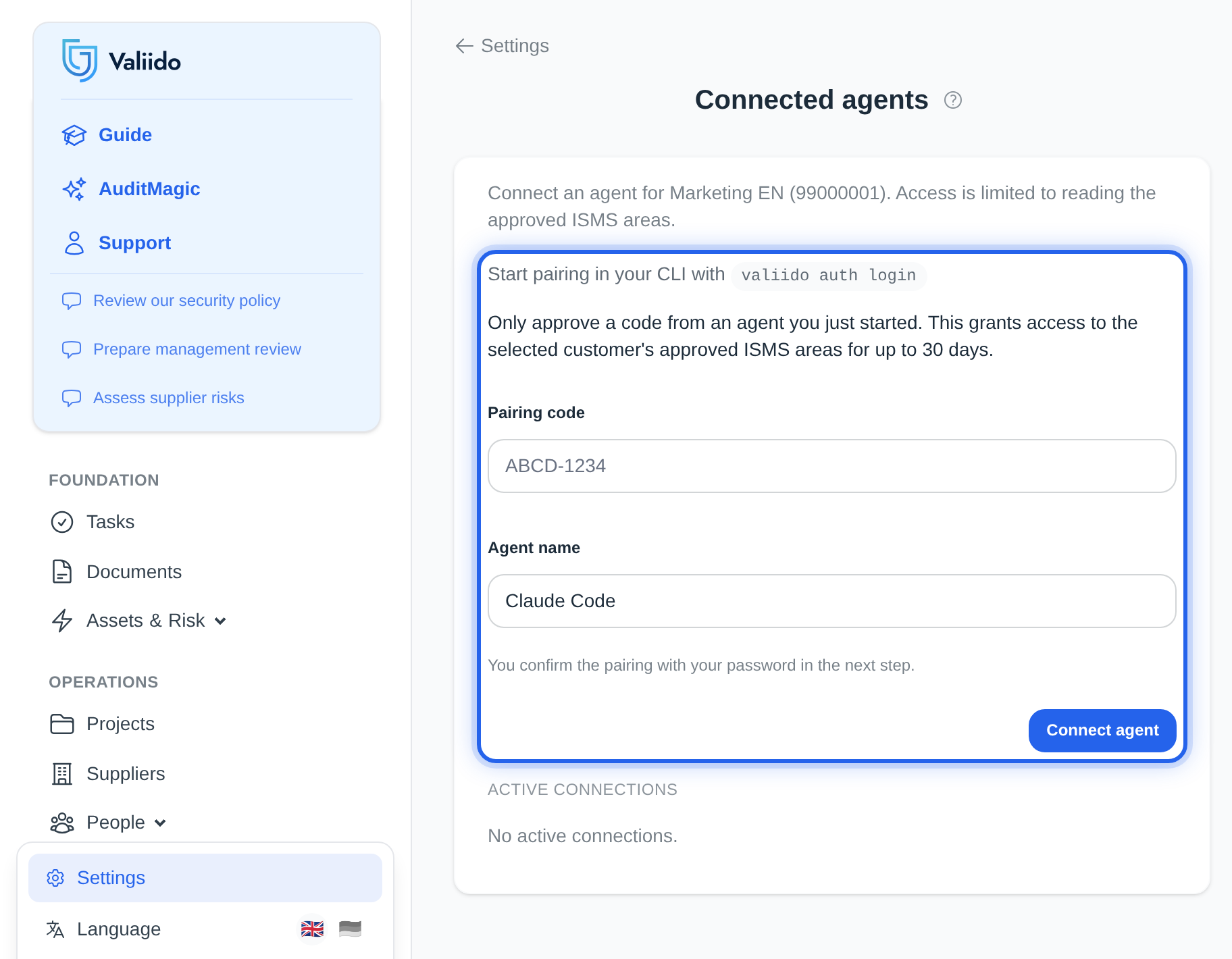
valiido auth loginfor a link and pairing code. - Follow the link to Connected agents. The code and name are prefilled.
- Select Connect agent and confirm with your password or passkey.
Valiido confirms the connection by email. Access expires after 30 days. Sign in again then.
First commands
valiido doctor                          # check login and connection
valiido more                            # list all ISMS areas
valiido tasks list --query Backup       # search tasks
valiido risks show 42                   # show a risk
valiido risks examples --query Phishing # search templates
valiido command run prepares changes. Apply them with valiido command confirm or discard them with valiido command reject.
Connect an AI assistant
- Run
valiido setup --agent claude. Use--agent codexfor Codex or--agent allfor both. - Try asking, “Which risks have no owner?”
With the installed skill, your assistant can read data, prepare changes, and import entries.
Revoke access
- Open settings from the menu under your name and select Connected agents.
- Select Revoke access next to the agent.
You can also disconnect with valiido auth logout. Access ends immediately and pending changes expire.
Common questions
What can an agent do?
The agent has your read and write permissions, no more. Its changes appear under your name in the history.
Does an agent change anything without confirmation?
No. Confirm prepared changes with valiido command confirm. Unconfirmed changes expire after 10 minutes.
Where do my files go during an import?
Your assistant converts Word, Excel, and PDF files locally. Only matching entries go to Valiido.