
AuditMagic checks saved records against your framework requirements and flags gaps as findings before the audit.
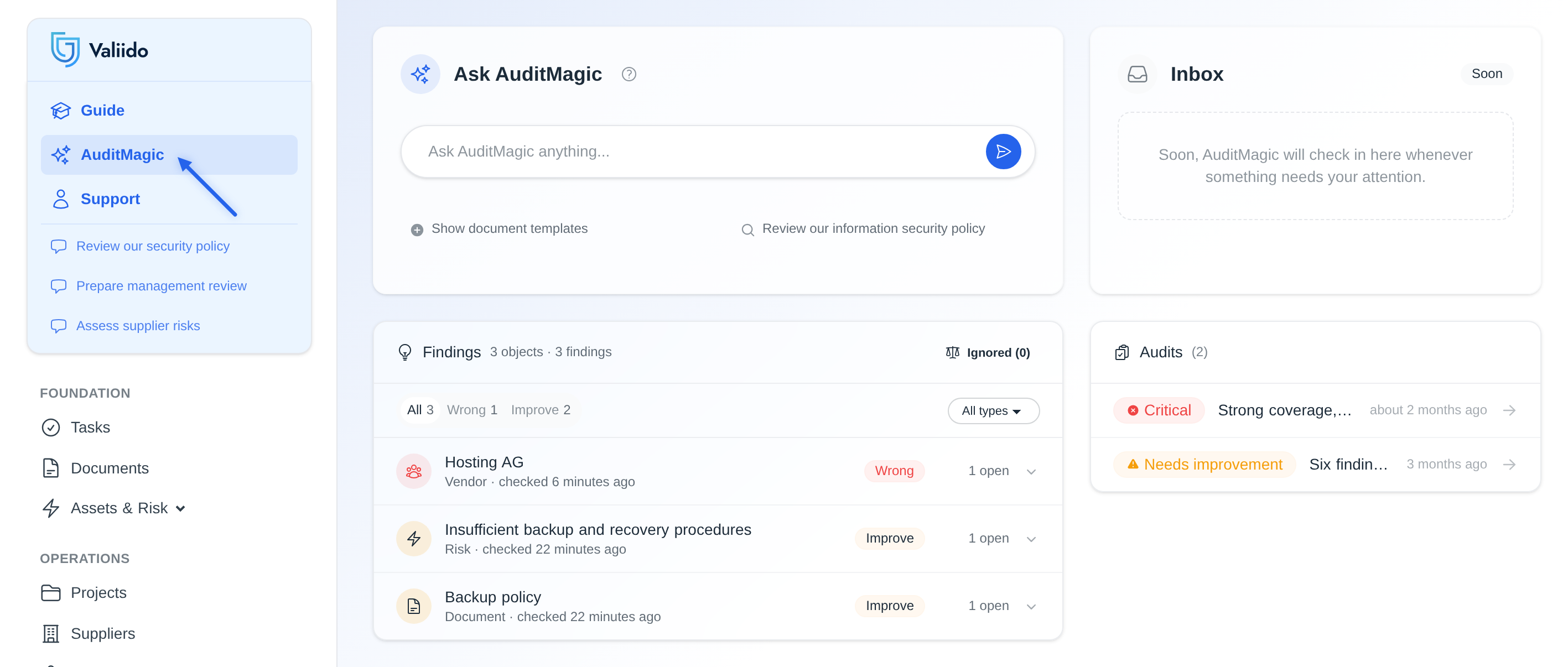
Work through findings
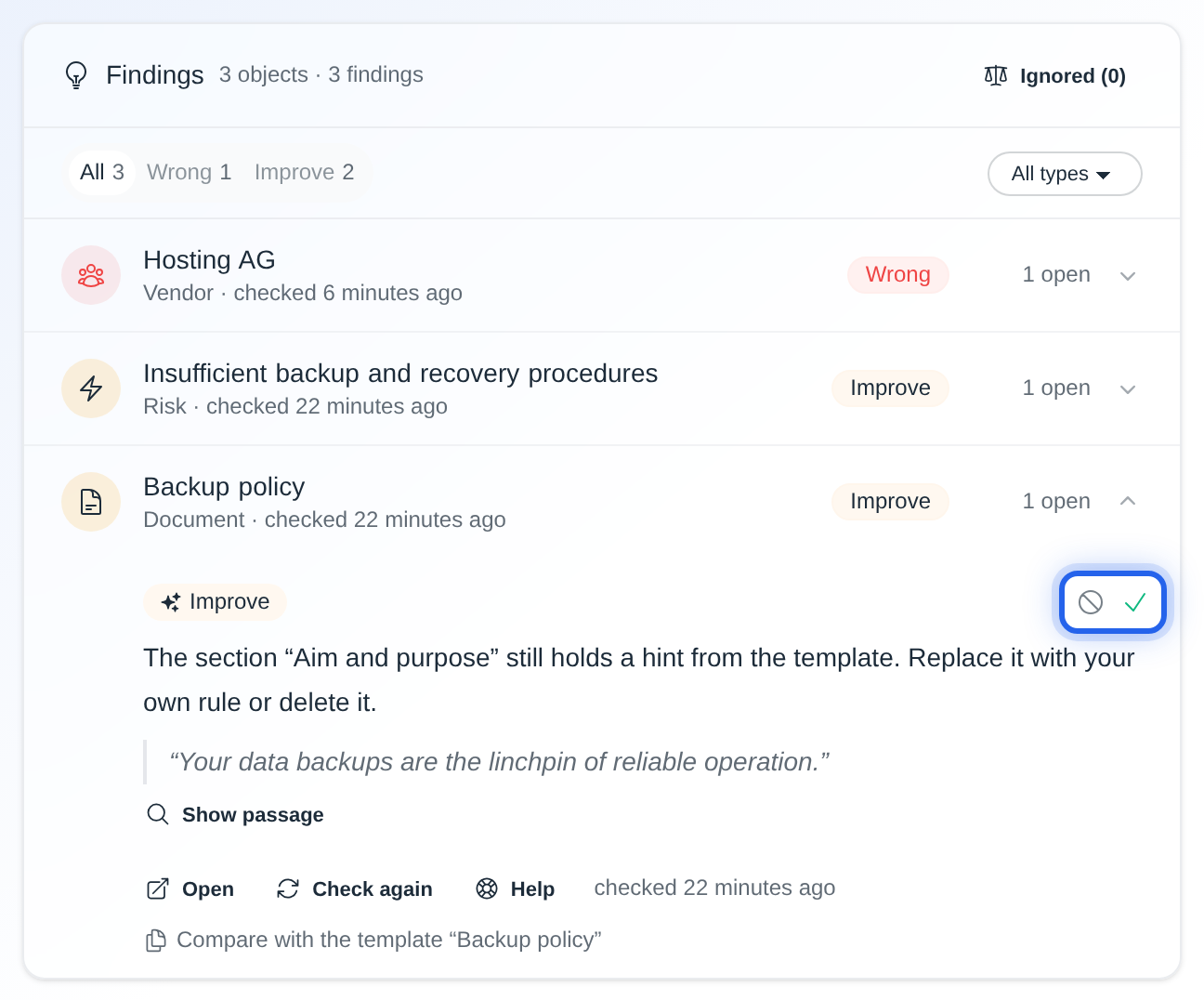
Each finding cites its basis and is rated “Wrong” or “Improve.”
- Under Findings, expand a record.
- Fix the issue in the record and select Done.
- If the finding doesn’t apply, select Ignore.
Completed findings reappear at the next check if they still apply. Ignored findings stay closed for that record, even if reworded. In documents, Show passage takes you to the quoted text.
Tip: Under Ignored, select Bring back to reopen a finding.
Check again
AuditMagic checks records when you save them or a deadline passes. Otherwise, you start individual checks manually.
- Open the unchanged record.
- Select Check again.
On Plus and Pro, AuditMagic checks your entire ISMS weekly. Find the reports under Audits.
Ask support
- On the record, select Help.
- Leave relevant findings checked and add your question. Select Send to open your request in the support chat.
Ask AuditMagic
- Ask your ISMS question under Ask AuditMagic. The chat can draft records and changes.
- Review the proposals and select Approve or Reject.
AuditMagic sees only content you can access. Changes require your approval.
Common questions
What if a finding is wrong or too strict?
Select Ignore. The templates and Guide follow Valiido’s interpretation of the standard. Requirements met as described in the template count as fulfilled in your copy. Guide recommendations, such as suggested intervals, can only trigger an “Improve” rating. For clarification, select Help.
How does AuditMagic treat placeholders and attachments?
Documents with “Vorlage,” “Formblatt,” or “Muster” in the title may contain placeholders. Attachments count as content. Naming another document (“according to the password policy”) covers the point.
What does AuditMagic read?
The record, its source template, linked record titles, and previous findings with your decisions. It also reads your selected frameworks’ requirements and the Guide. Guide tasks linking to the source template come first.
AuditMagic compares meaning, not wording. It flags required content missing from your record if the template covers it.
Which providers process my data for AuditMagic?
Valiido lists its subprocessors on the security page.