
The Guide helps you build your ISMS, meet requirements, and demonstrate compliance in an audit.
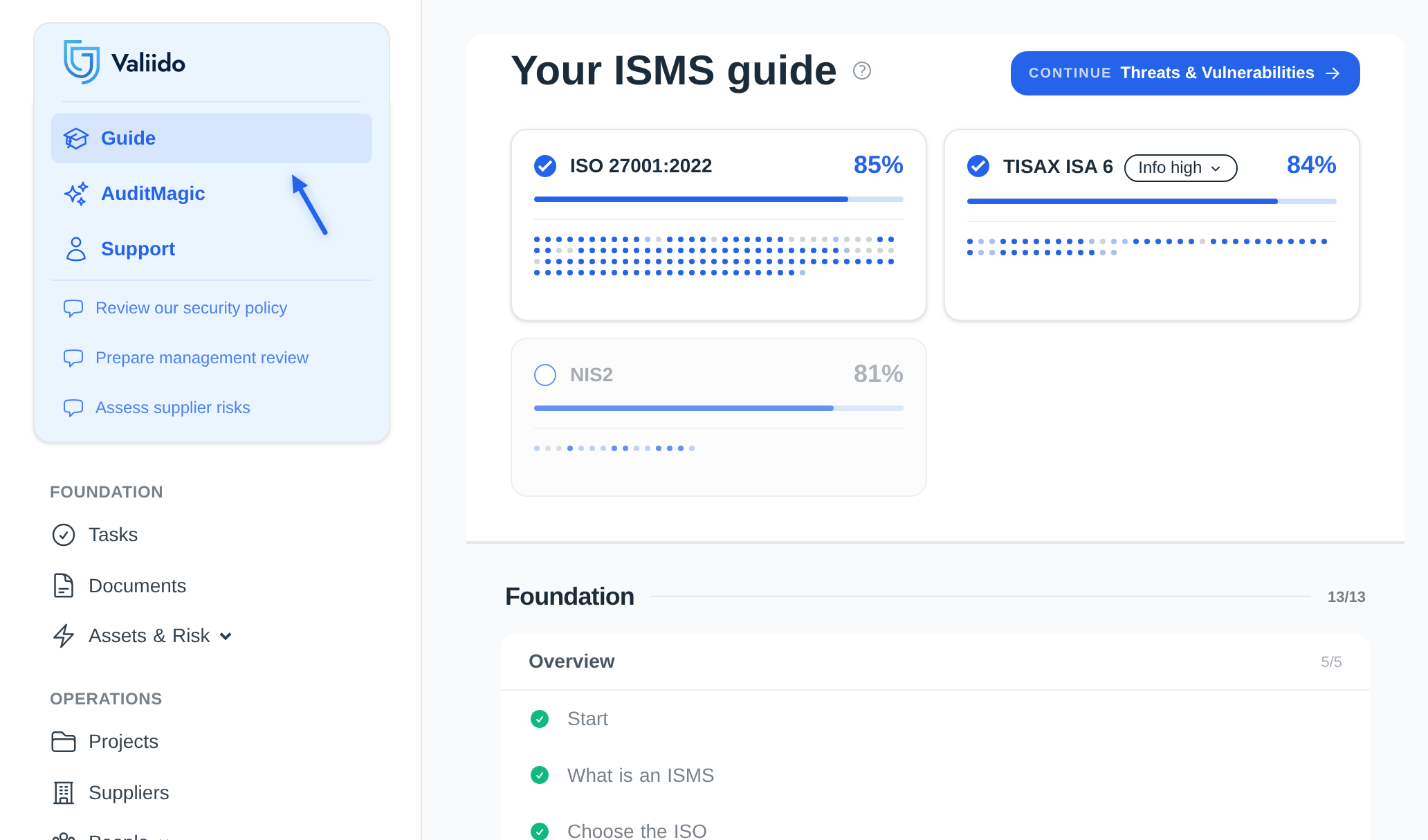
Choose frameworks
- Open Guide.
- Select your frameworks (ISO 27001:2022, TISAX ISA 6, or NIS2).
- In the menu next to TISAX ISA 6, choose your protection objective, such as “Info very high.”
At least one framework stays selected. Gray chapters don’t apply to your selection.
Work through a chapter
- Select Continue to open the next unfinished chapter.
- Read the overview. “Understand” lists the requirements the auditor cites, grouped by control number.
- Set tasks you’ve started to In progress. Check off each task you finish.
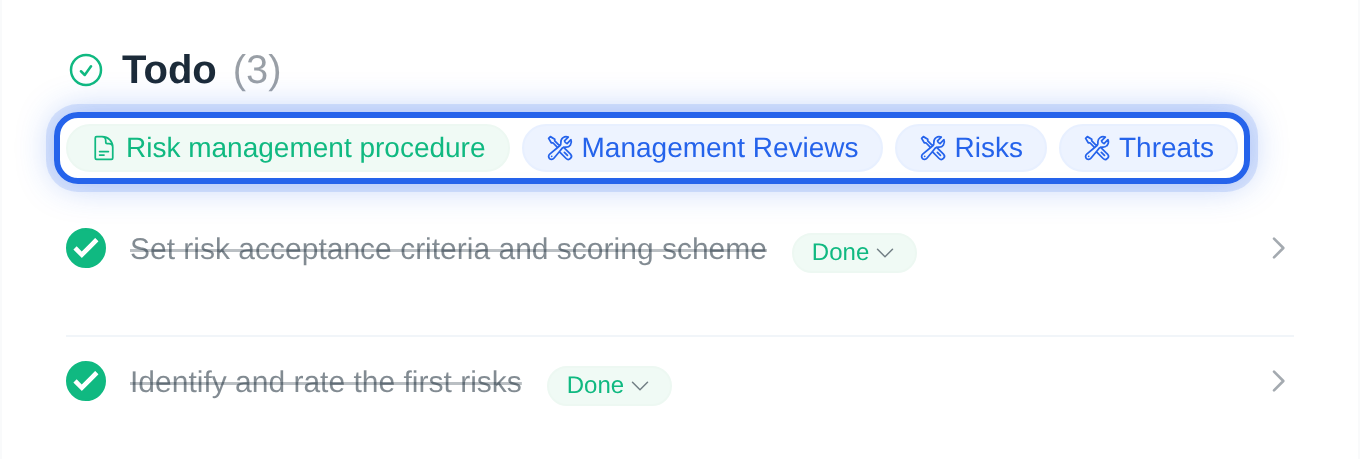
Links beneath tasks open tools or templates. Green links open your copy of a template you’ve adopted. Complete each task so an auditor can verify the result.
Track progress
The overview gives your progress as a percentage for each framework. A chapter is complete when you’ve checked off every task. Use the star to bookmark a chapter.
Switch the view
- Open the Valiido Standard menu at the top right.
- Choose a framework or Mapping.
The framework view organizes tasks by the standard’s controls. Mapping shows which chapters cover each control. Use the flag to switch languages. Your progress carries over.
Common questions
Which standards does the Guide cover?
ISO 27001:2022, TISAX ISA 6, and NIS2. The NIS2 chapters also cover applicability and registration.
Does my ISO work count for NIS2?
Mostly. Tasks count toward every framework they’re mapped to. NIS2 requires company-wide scope and measures to address risks. It also requires registration, reporting, and management accountability.
Who can check off tasks?
Admin and Team. IT and Auditor have read access. HR and Employee cannot see the Guide.
Why is a chapter locked?
Chapters with a lock require Plus or Pro.