
Archive your ISMS for your records, for auditors without access, or before switching systems. You can read the archive without Valiido.
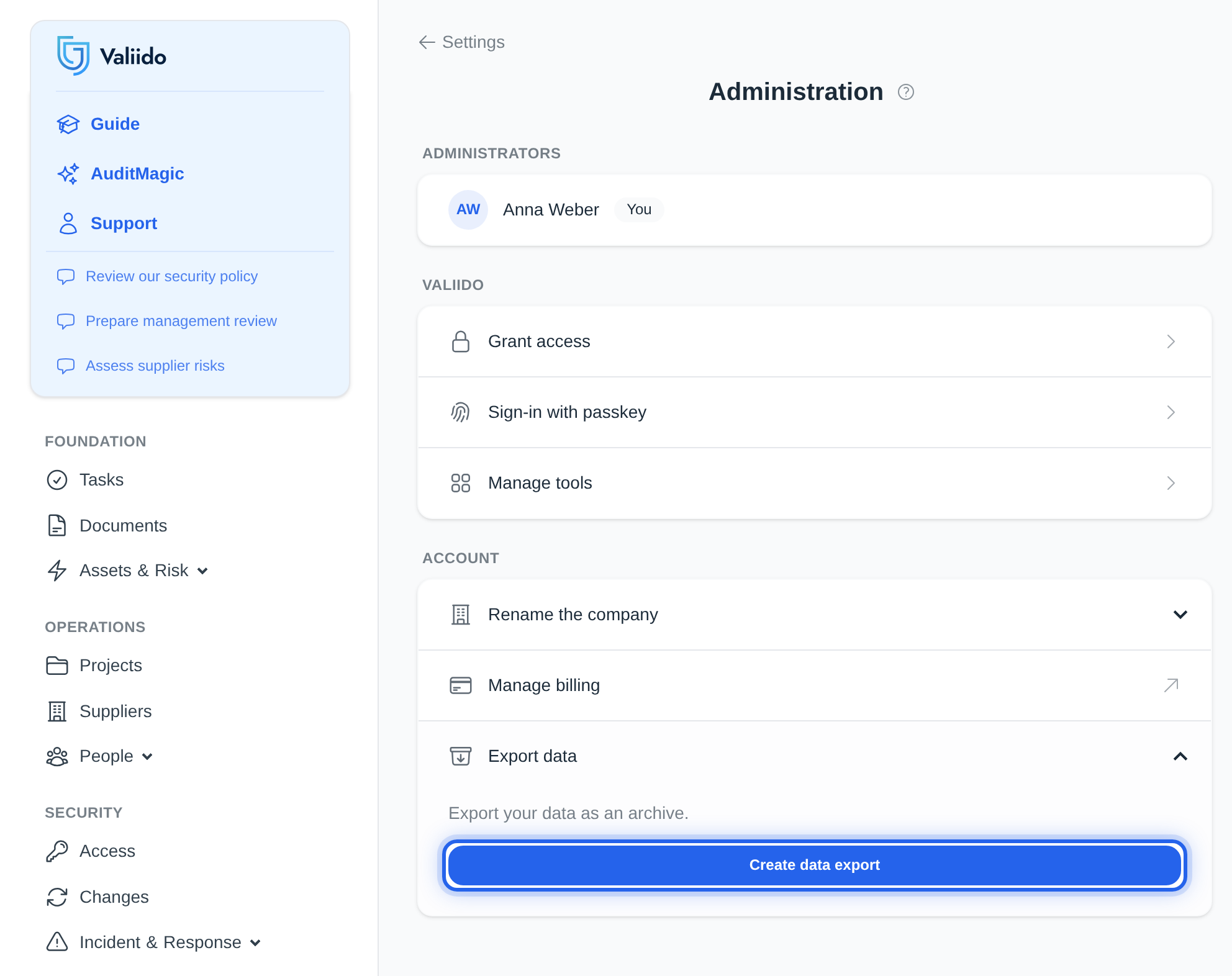
Export all data
- Open Settings → Administration.
- Select Export data.
- Select Create data export.
- When you get the email, select Download ZIP.
The download is available for 30 days. Create new export replaces the previous archive.
Open the archive
- Unzip the file.
- Open
CLICK_HERE_TO_START.htmlin your browser.
Each area has an overview. Each record has a page with fields and comments. All documents are PDFs in a single folder. Uploaded PDFs stay unchanged. The archive excludes templates, trash, history, and AuditMagic.
Export a single record as a PDF
- Open the menu of a record.
- Select Export PDF.
Anyone who can view the record can export it.
Export a report
Download reports in HTML, Excel, or PDF format. See Reports.
Common questions
Who can export all data?
Only admins with full ISMS read access. If you can’t view even one record, Export data is hidden.
Can I export all data to Excel?
No. The archive contains HTML pages and PDFs. Only reports support Excel.
Why is the archive in English?
Valiido always exports in English. Your text stays unchanged.