
Use your central ISMS incident register to record, assess, and handle all security event reports.
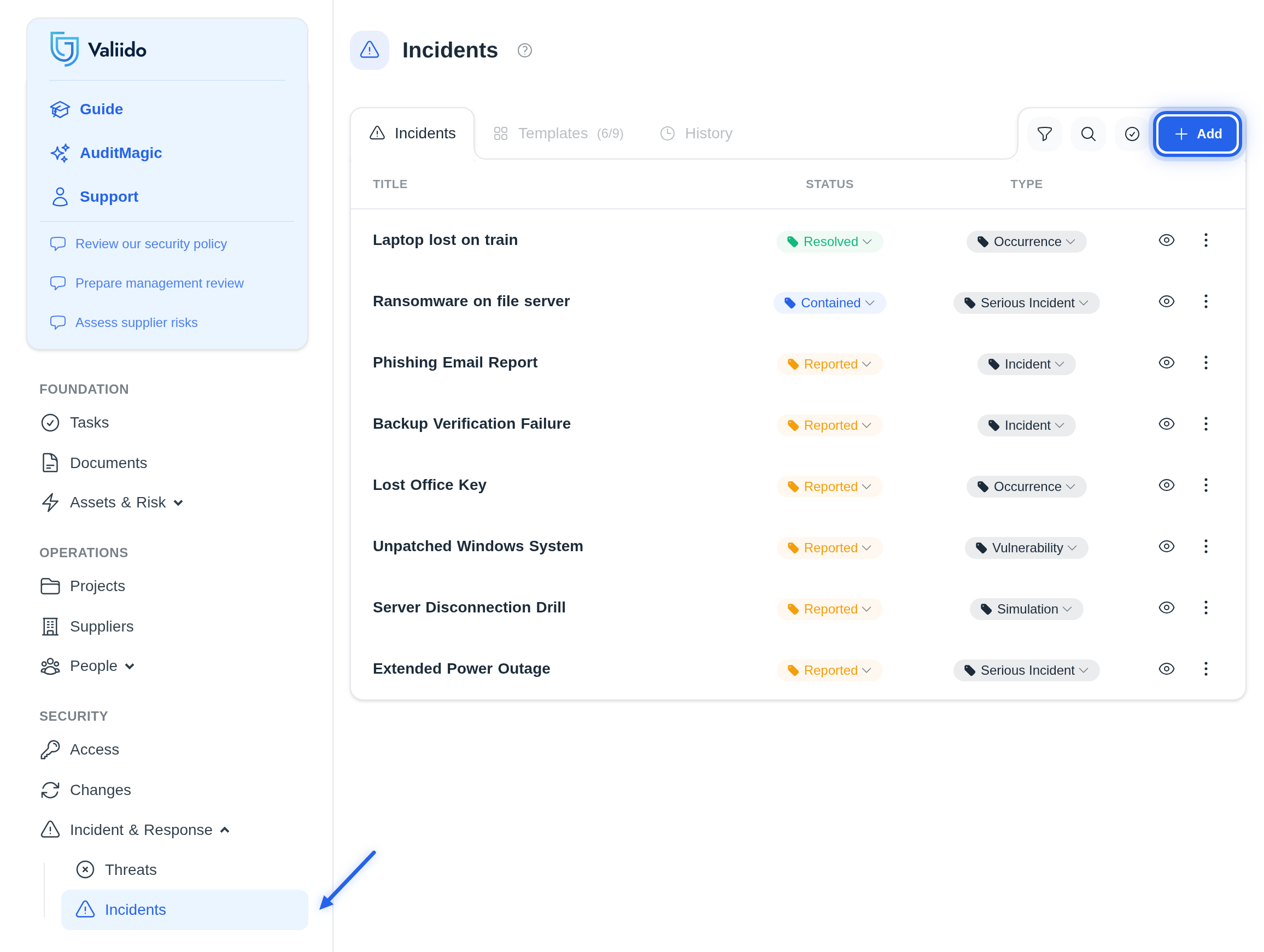
Record an incident
- Select Add.
- Enter a title and select Save.
- In the details, choose the Type and Assignee.
New incidents default to Reported and today’s date. Include events without consequences, for example as No Incident or Occurrence.
Tip: Find example incidents under Templates.
Work on an incident
- Record the origin, reporting channel, cause, and affected systems.
- Update the Status, for example to Investigating, Contained, or Resolved.
- Record your Lessons Learned and select Closed.
Create follow-up tasks and connect them under Linked. Review incidents regularly, for example quarterly. Record drills as Simulation.
NIS2 reporting
Track BSI reports for serious incidents here.
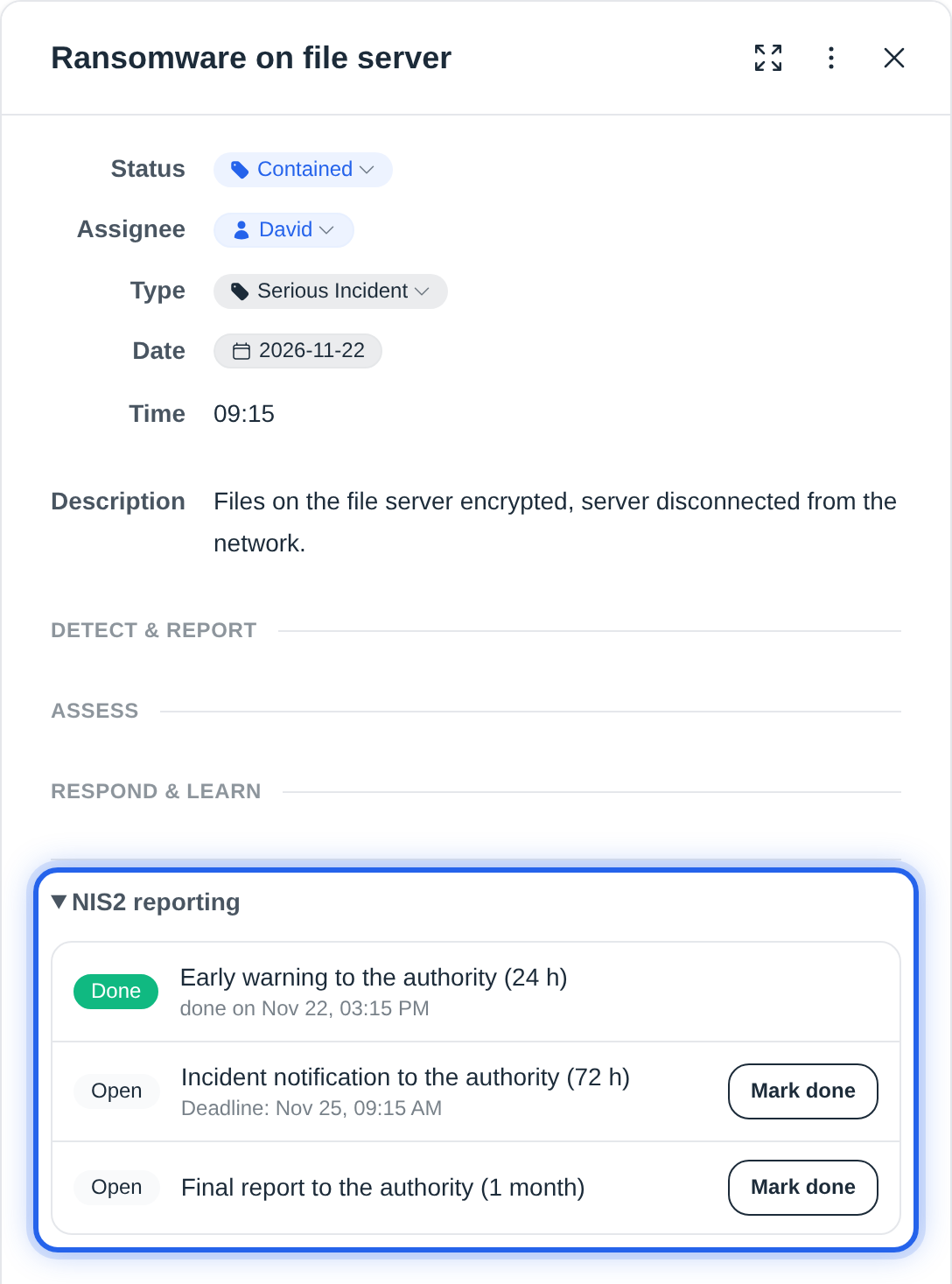
- Select Serious Incident and enter the date and time you learned of it.
- After each report, select Mark done to record the time you click.
Reporting deadlines are 24 and 72 hours from awareness of the incident. The final report is due one month after the 72-hour report. Valiido flags missed deadlines as Overdue.
Common questions
How do employees report an incident?
Employees follow the “Handling of Incidents” template and report centrally, for example to CERT or ISO. They use a fast channel for critical events and another for everything else. Share the process, for example through your information security policy and emergency plan. Employees cannot see incidents. Users with Admin, Team, or IT access record the reports.
Where do I attach evidence?
Use the paper clip to attach evidence to a comment. Find all incident attachments under Files.
Do I have to report every incident?
Only serious incidents require NIS2 reporting to the BSI. Only those incidents show deadlines. Check separately whether to notify the data protection authority or customers.
Why can't I add a second incident?
Free includes one incident. Plus and Pro allow more.