
Notifications make sure nobody misses due ISMS work: the weekly overview reminds each person of their overdue tasks.
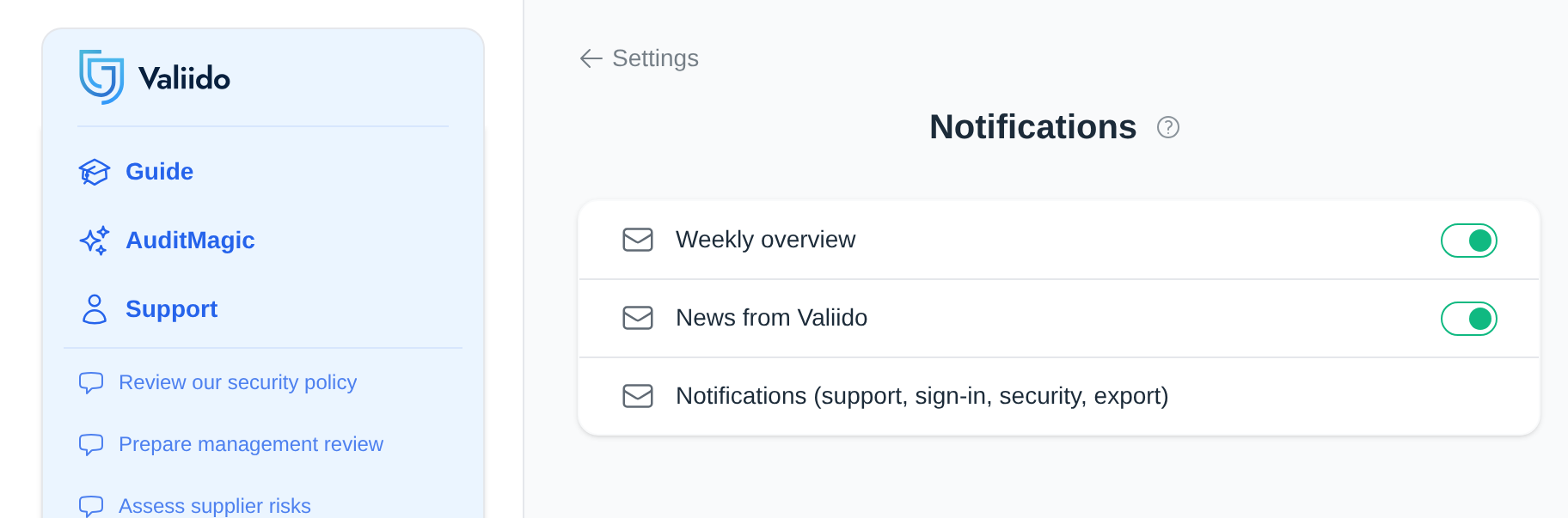
Choose your emails
- Select your name at the bottom of the sidebar, then Settings → Notifications.
- Turn Weekly overview and News from Valiido on or off individually.
Your settings apply immediately to you alone. Every news email includes an unsubscribe link.
Weekly overview
The overview arrives Mondays at 9 a.m. German time on all plans. It links to your overdue tasks and those due by Sunday, including role assignments. Without an overdue task, no email is sent. If it shows “Paused”, Valiido has temporarily stopped it for everyone.
Emails you always get
- One email per chat when an AuditMagic reply stays unread for five minutes
- Support replies
- Sign-in links and password reset emails
- Notices about passkeys and changes to your sign-in email
- Invitations to access Valiido
- Notices when an export is ready or an agent connects
Common questions
Do I get a reminder for each overdue task?
No. The weekly overview groups reminders. Comments don’t trigger emails.
Why don't I get a weekly overview?
Check that it's turned on. You or one of your roles must have an overdue task.
Can an admin turn off the weekly overview for everyone?
No. Each person controls their own setting.
Does Valiido show notices in the app?
A dot next to your name marks new changelog entries. The number next to Support counts unread replies.