
Use your ISMS legal register to track legal, contractual, and other obligations and interested parties. Assign responsibility and link evidence for each obligation.
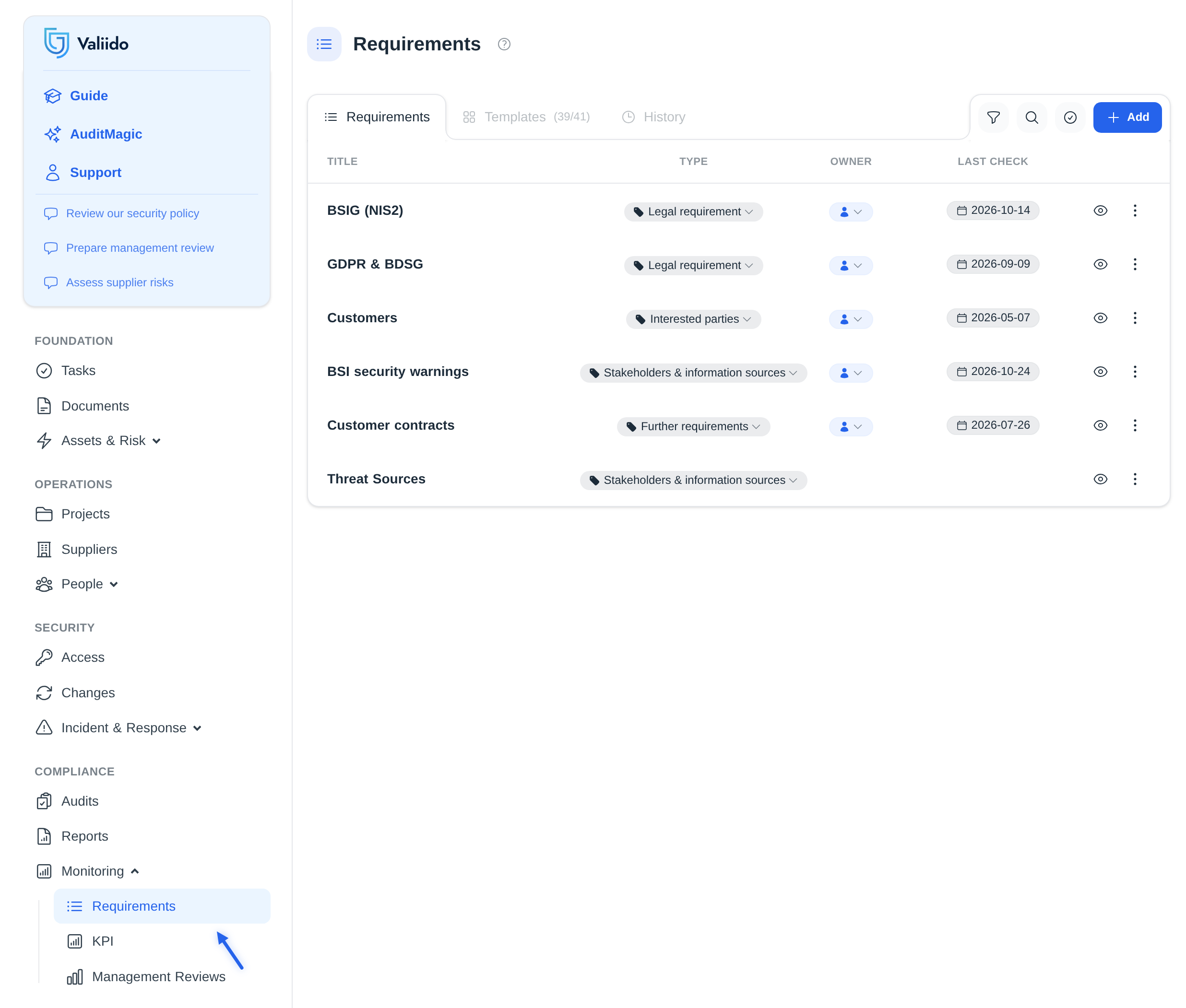
Copy requirements from templates
- Open Templates for registers such as GDPR & BDSG or BSIG (NIS2).
- Select Copy for each applicable requirement.
Copies include Type, Area, Title, Summary, Link, and On Change. Fill in Responsible, Last Test, and Notes yourself.
Record and explain your entity classification under BSIG (NIS2).
Tip: Add customer requirements and contracts as your own requirements.
Create a requirement
- Select Add.
- Enter a title and select Save.
- Adjust Type and Area. Fill in Responsible and Last Test.
The defaults are Legal requirement and the ISMS area. Use to filter by type.
Link evidence
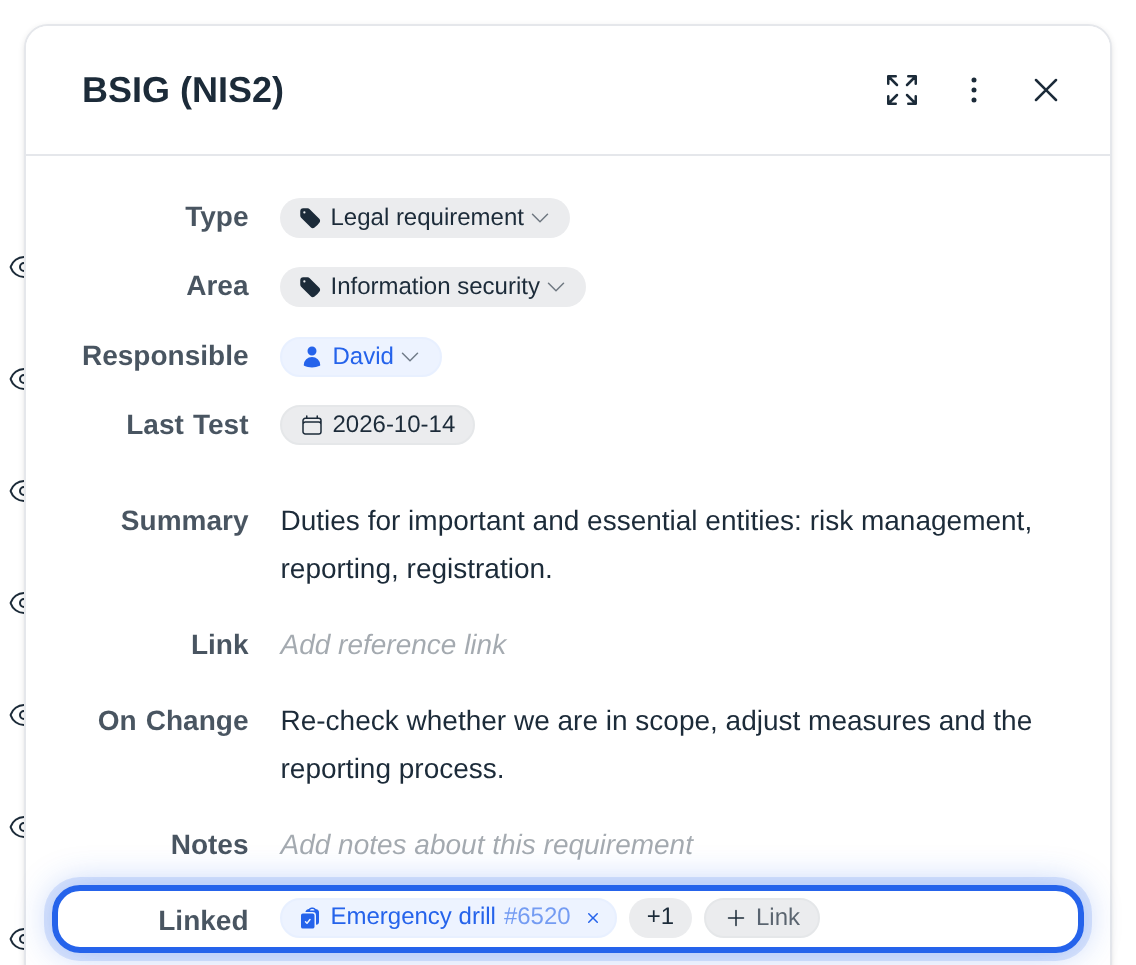
- Click the requirement’s row.
- Under Linked, select Link. Search documents, tasks, or other records for evidence.
- Under On Change, explain what to do if the law changes.
AuditMagic reviews requirements when you save them. It reviews template copies only after you edit them.
Review the register annually and when laws change. Schedule a recurring review task. Agree on the register with management during the management review.
Common questions
Which standards does Valiido support?
The Guide covers ISO 27001:2022, TISAX (ISA 6), and NIS2. Add other frameworks such as SOC 2, IEC 62443, or BSI requirements as your own requirements and link evidence.
Is a record of processing activities enough for data protection?
Ask your data protection officer. Copy GDPR & BDSG and link your record of processing activities and all other evidence.
Do my requirements change when Valiido updates the templates?
No. Look under Templates for new templates. Update your copies yourself.
Who sees requirements?
Admin and Team can edit requirements. IT and Auditor have read-only access. HR and Employee have no access.